
How to Use Your EOS® Scorecard to Strengthen Leadership Team Accountability

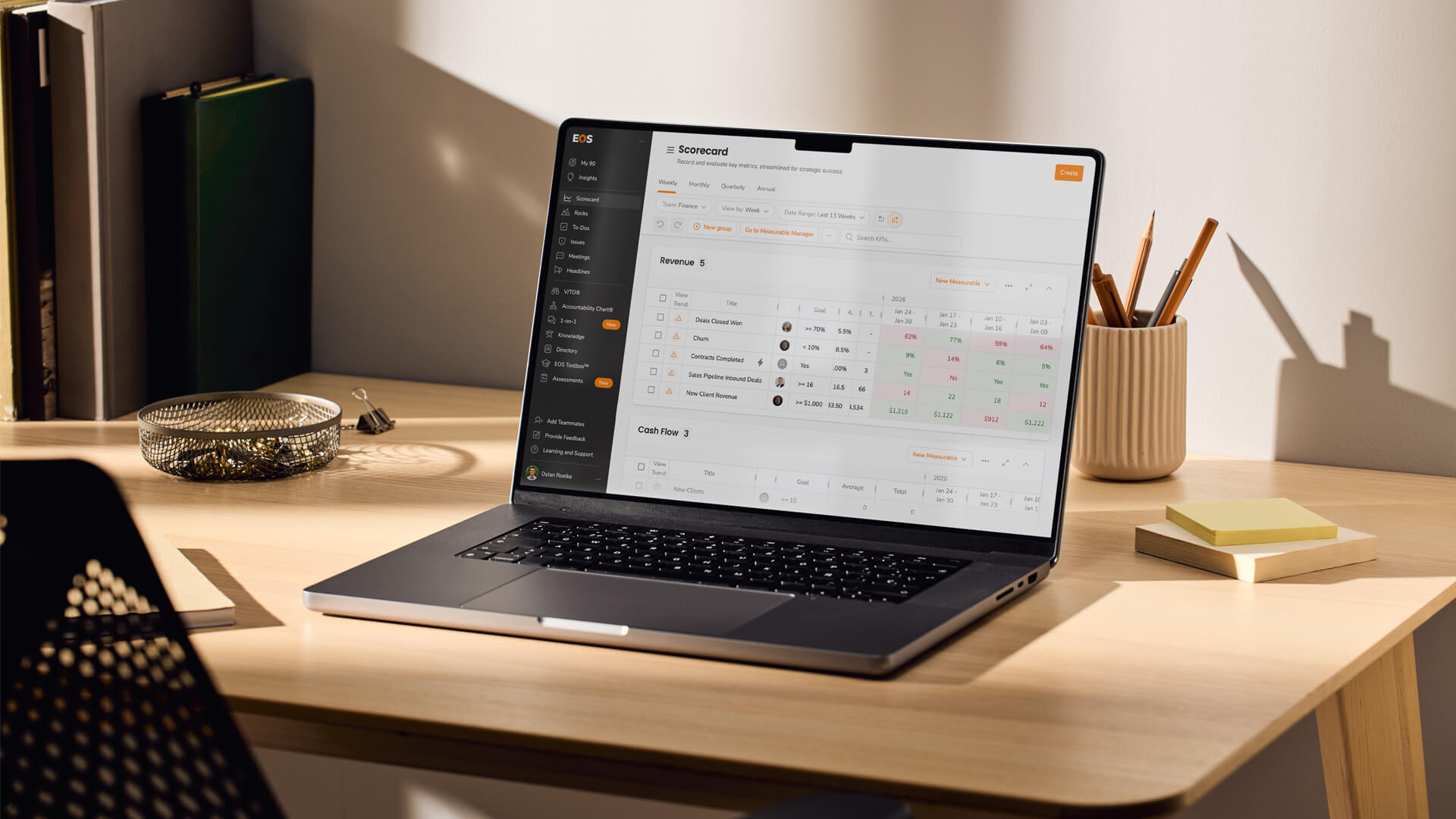
Your Scorecard holds the leadership team accountable when every Measurable has one owner, a clear goal, and a current number before the weekly meeting. Ninety keeps your Scorecard next to your Rocks, Issues, and To-Dos, so an off-track number becomes an owned next step instead of a line in a spreadsheet.
Ninety is the AI-powered business operating system for companies running on EOS®. Within EOS, the EOS Scorecard gives your leadership team a weekly read on whether the most important activities in the business are on track. It doesn't replace leadership judgment, and it doesn't create accountability on its own. That comes from the people who own each number and follow through when it misses.
What Makes a Scorecard Hold People Accountable?
A Scorecard creates accountability when each Measurable has one owner and a goal the team agreed to, and when that owner updates the number before the meeting. If any of those pieces is missing, the weekly review turns into questions about who's responsible or which number is correct.
Ninety keeps those pieces in one place. Your leadership team can review the Scorecard beside its Rocks, Issues, and To-Dos, so the response to an off-track number lives in the same workspace as the number itself.
How Should You Set Up Measurables in Ninety?
Your leadership team decides which Measurables belong on its Scorecard. That decision comes from EOS and, if you work with one, from your EOS Implementer®. Ninety gives those Measurables a home next to the rest of your EOS tools.
For each Measurable, set a goal and assign one owner. In Ninety, the owner, goal, and supporting details stay attached to the Measurable, so everyone reviews the same definition each week instead of a spreadsheet column that may have changed.
Why Should Every Measurable Have One Owner?
When two people share a number, it's unclear who updates it and who speaks to it when it misses. One owner settles that before the meeting starts. That person updates the number each week and brings it forward when it's off track, even when several people contribute to the result.
For example, a sales leader might own weekly qualified leads even though marketing generates many of them. Marketing still contributes, but the sales leader is the person the team turns to when the number misses its goal.
What Should Owners Do Before the Weekly Meeting?
Have each owner enter their numbers in Ninety before the meeting. Leaders can review results before the Level 10 Meeting® starts, so meeting time goes to decisions instead of giving status updates. If an owner hasn't entered a number, Ninety shows the entry as missing instead of displaying last week's figure.
Goals and prior weeks stay visible beside the current result, which helps your team read each number in context. For example, one weak week after a long run on goal calls for a different response than a third straight miss.
What Happens When a Measurable Is Off Track?
Ninety shows whether each Measurable is on track or off track as soon as its owner enters the number. When an owner sees a Measurable miss its goal, they can right-click it to add it to the Issues list before the meeting. That keeps Scorecard review brief and gives the team its Issues ahead of time.
The team works through it during IDS®. When the solution needs follow-up, it becomes a To-Do with one owner and a due date. At the next meeting, the team can review that To-Do alongside the current number and see whether the response worked.
Not every miss needs a long discussion. Start by confirming the data is current. When a Measurable keeps missing, the Issue may be the process behind the number, the goal, or how the Measurable is defined.
How Does the Scorecard Connect to Quarterly Planning?
When your team revisits its Scorecard each quarter, Ninety keeps Measurables beside your Rocks and current priorities. Leaders can see which numbers relate to the quarter's work and update the Scorecard in the same place they set new Rocks. Because each Measurable's history stays in Ninety, the team can compare results across the quarter instead of piecing them together from old files.
When Does a Spreadsheet Stop Being Enough?
A spreadsheet can track weekly numbers well. The challenge grows with the number of owners and follow-up items, because the response to a missed number often lives somewhere else.
|
Approach |
How Owners Update |
Where Follow-Up Lives |
Typical Fit |
|---|---|---|---|
|
Spreadsheet |
Owners edit a shared file |
Separate notes, email, or task apps |
Small teams with a short Scorecard |
|
Platform built for EOS |
Owners update each Measurable in one workspace |
Beside the Scorecard as Issues and To-Dos |
Leadership teams with several owners and departments |
How Does Ninety Keep Scorecard Follow-Up Connected?
A number on its own doesn’t tell your team much. It helps when the team can see who owns it and what happened the last time it missed. Ninety keeps that together. The Scorecard sits in the same platform as the rest of the Five Foundational Tools: the Vision/Traction Organizer®, The Accountability Chart®, Rocks, and The Meeting Pulse® with the Level 10 Meeting.
When a Measurable goes off track, the Issue and any To-Dos created from it stay linked to that Measurable. Once they’re completed, they move to the archive, so your team can look back at how it handled the last miss and follow execution from the weekly number to the work behind it.
Ninety has been built for EOS since 2016 and is an official licensee of EOS Worldwide. Whether your team self-implements or works with an EOS Implementer, Ninety fits the way you already run EOS.
Keep Every Off-Track Number Connected to a Next Step
Start with the Measurables your team already tracks. Add them to Ninety, assign one owner and a goal to each, and have owners enter their numbers before your next Level 10 Meeting. After a few weeks, compare that review with your spreadsheet. Look at how quickly the team spots off-track numbers and whether each miss leads to an Issue and an owned To-Do. Start for free and connect every off-track number to an owned next step.
FAQ
How do we move our Scorecard from a spreadsheet into Ninety?
Start with the Measurables your team already reviews each week, so you don't have to rebuild the list. Add each one to Ninety with its goal and owner, and keep the same goals so your results line up with your old records.
Who can see our leadership team's Scorecard?
Access settings in Ninety control who can view each team's Scorecard, so you decide which people see the leadership team's Measurables.
Can we change a Measurable's goal or owner during the quarter?
Yes. You can update a Measurable's goal or owner in Ninety when your team decides to change it, and the Measurable's past results stay attached to it.
Can each department have its own Scorecard in Ninety?
Yes. Departments can keep their own Scorecards with Measurables they own, while the leadership team reviews the company Scorecard. Each team stays accountable for its own numbers without crowding the leadership team's weekly review. This is included with all paid plans.


